Internet & fiber
Wired once, proven at handover
A router lasts a few years; the cable in the wall outlives the tenancy. So the cable gets the craftsmanship: fusion splices, labels at both ends, and test results you keep — because a measured installation and a length of working wire are different products at the same length. Nearly all of this trade is one of five jobs.
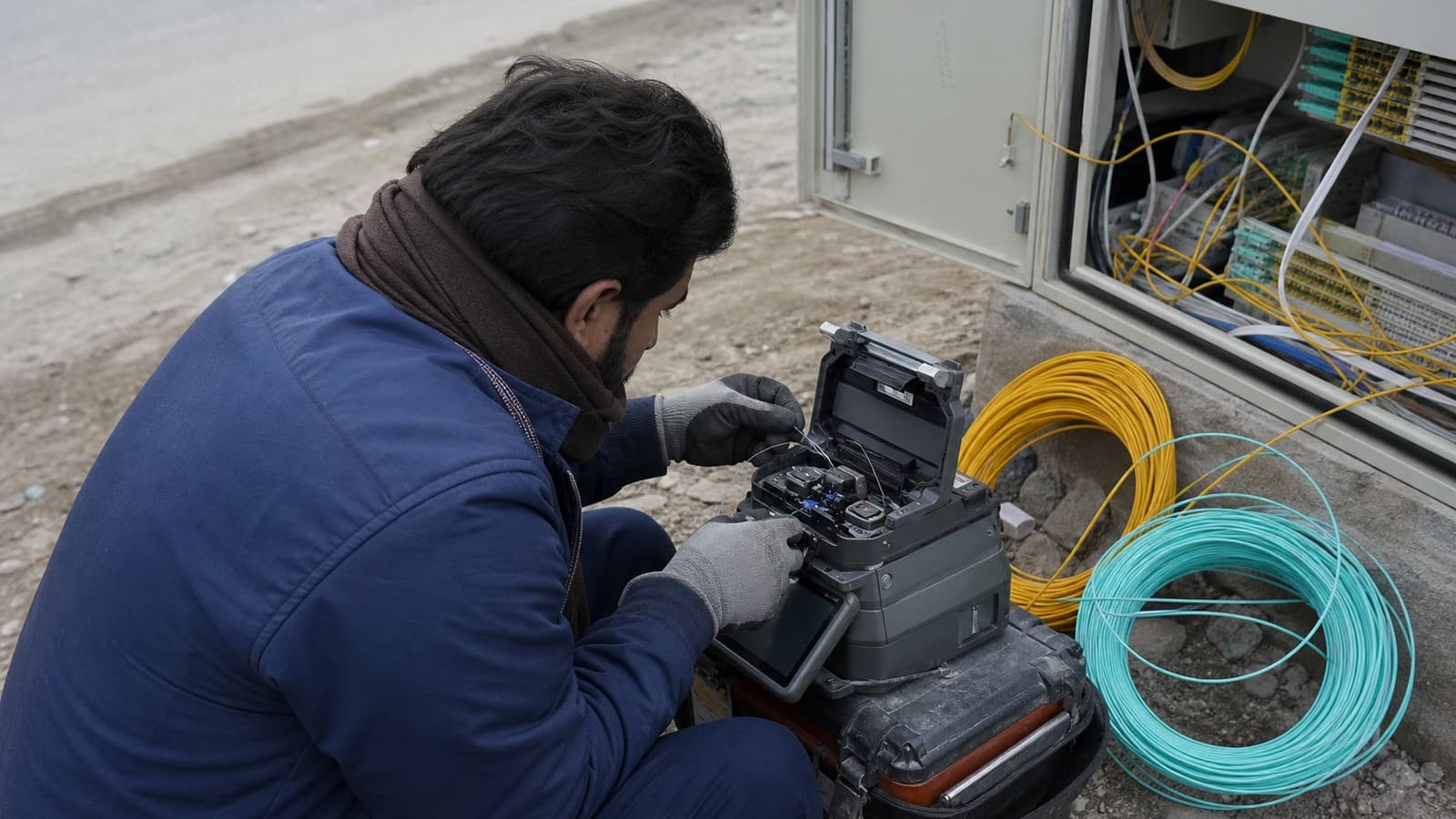
Joined properly, and tested
Every splice is fused and measured, every port tested, and the results are left with you — not carried away in someone's head.
- Fusion splicing with OTDR trace
- Cat6 in conduit
- Separate networks per system
01
“Bring fiber into my office / house / warehouse”
A fiber connection into the building
We take the drop from the ISP's distribution point to your premises — through the plaza riser where one exists, aerial or ducted where it does not — fusion-splice every joint and finish it in a proper termination box instead of a loop of bare fiber tucked behind furniture. The completed run is OTDR-tested, so its loss figures are measured numbers on paper, not assurances.
Includes: Survey of the route · drop cable & ducting · fusion-spliced joints · wall termination box · OTDR report in your hand · liaison with the ISP
02
“A network point at every desk by month end”
Structured cabling for an office or school
Cat6 from every desk home to a labelled patch panel in a tidy rack — the standard fit-out for software houses and offices from Blue Area to the I-9 industrial units. Each run is labelled at both ends, tested port by port, and drawn onto a printed map. When a port fails three years from now, whoever is standing there traces it in a minute instead of billing you an afternoon.
Includes: Cat6 runs in conduit or tray · rack, patch panel & labelling both ends · every port tested · printed run map at handover
03
“The signal quits outside the meeting room”
WiFi that reaches every room
We walk the building with a meter, then cable access points to the spots the readings choose rather than the spots with a convenient socket. Every unit joins one roaming network so phones move floor to floor without dropping, and a separate guest network keeps visitors — and whatever lives on their phones — away from your tills and cameras.
Includes: Signal survey with readings · access points on cable, not repeaters · single roaming network name · guest WiFi walled off from tills & cameras
04
“The godown needs the office network”
A link between two buildings
Across a service road, between two plazas, or out to a warehouse in I-10: either buried fiber or a point-to-point radio pair on the rooftops. Where both are feasible we price both, state plainly which we would choose for your distance and terrain, and prove the finished link with a throughput test rather than a thumbs-up.
Includes: Line-of-sight check · buried fiber or rooftop radio pair · masts, mounting & earthing · measured throughput before sign-off
05
“It crawls, and the password left with the last IT guy”
The router, the firewall and the shelf of mystery boxes
We replace the pile with a router and switch sized to the actual load — Mikrotik, TP-Link or Ubiquiti, chosen for the site rather than the stock room — reset every default credential, separate cameras, tills and guest WiFi onto their own segments, and hand the passwords to the owner in writing. The network should belong to you, not to whoever configured it last.
Includes: Right-sized router & switch · every default credential replaced · cameras, tills & guests on separate segments · passwords handed over on paper
Whoever you hire, demand these three things
Test results on paper
An OTDR trace for fiber, per-port results for copper. “See, it works” means the loss was never measured — and the first heavy Monday will measure it for you.
A label on both ends
Every run named at the socket and again at the panel, with a map. Unlabelled cabling is a puzzle your building pays somebody to re-solve every time anything moves.
Your passwords, in your hand
Router, switch and WiFi credentials go to the owner in writing at handover. If the passwords live only in the installer's head, you are renting your own network from him.
Network questions
Which ISP should I take in Islamabad?
The one with clean infrastructure on your particular street — and that honestly changes from one sector, even one plaza, to the next. We install and integrate rather than resell any package, so there is nothing for us to push. Give us the address and we will tell you who serves it well, then handle the connection paperwork and liaison with whoever you choose.
How long does an office LAN take?
A typical floor takes two to three days including the rack, patch panel and labelling at both ends. In an occupied Blue Area office we can run the noisy work after hours so your team keeps its desks. Fiber runs depend on the duct or pole route, so those get a written date range at quotation instead of a promise picked from the air.
Can two buildings share a network without trenching?
Usually. A point-to-point wireless link between rooftops crosses a service road or several hundred metres reliably, as long as the antennas can see each other. Where the run is short and the digging is easy, buried fiber still wins on lifespan — we price both options and put our recommendation on the quote.
Why does the WiFi die two rooms from the router?
Because one router was asked to shout through reinforced concrete, and 5GHz does not survive RCC slabs and brick partitions. The cure is cabled access points positioned where a meter survey says the building needs them — not a bigger antenna on the same wrong spot.